Why downtime in a store migration is so dangerous
According to Shopify research one hour of downtime costs mid-sized and large companies on average more than $300,000 in lost revenue. But even for smaller stores, every minute offline is a minute when your competitor is selling.
The hidden costs of downtime go beyond direct revenue:
-
SEO damage: search engines crawl your site continuously. When they repeatedly find an offline site, this can set back your rankings by weeks or even months.
-
Wasted ad budgets: your Google Ads and social media campaigns keep running, but lead visitors to a dead page.
-
Customer trust: a store that's offline radiates unreliability. Returning customers wonder whether they still want to order here.
-
Operational chaos: your customer service is overwhelmed with questions, your team is panicking and the pressure to 'go live again quickly' leads to mistakes.
The problem with traditional migrations
In a classic store migration, the following plan is usually followed:
- Export all data from the old platform (CSV files, manual exports)
- Take the store offline ('maintenance mode')
- Import all data into the new platform
- Test everything manually
- Go live again and hope it all works
This process easily takes several days to weeks. During that time your store is either offline or running on outdated data. Orders that come in during the migration? They fall through the cracks. Stock that changes? Not synchronised. New customer registrations? Lost.
It's an approach that may have worked in 2015, but in 2026 — with customers shopping online 24/7 and Google continuously evaluating your site — it's simply too risky.
Lightspeed C Series: when is it time to switch?
Lightspeed C Series (formerly SEOshop) is a Dutch e-commerce platform that has been a solid choice for online retailers for years. But the e-commerce market doesn't stand still, and more and more merchants are running into limitations:
-
Limited app ecosystem: where Shopify offers thousands of apps in its App Store, Lightspeed C Series's offering is more limited. Integrations with tools like Klaviyo, Gorgias or advanced analytics often require custom solutions.
-
International growth: multi-currency, multi-language and cross-border selling are native features in Shopify (Plus). On Lightspeed C Series this requires more manual work.
-
Performance and scalability: with large catalogues (10,000+ products) or traffic peaks (Black Friday, flash sales), some merchants experience slowness.
-
Checkout customisation: Shopify's checkout — with the highest conversion rate in e-commerce — offers extensive customisation options that are more limited on Lightspeed.
-
Future-proofness: Shopify invests billions annually in R&D, with features like Shopify Markets, Hydrogen (headless) and AI tools rolling out continuously.
Recognise one or more of these points? Then it's time to seriously consider a switch.
How Syncer's Live Sync® delivers zero downtime
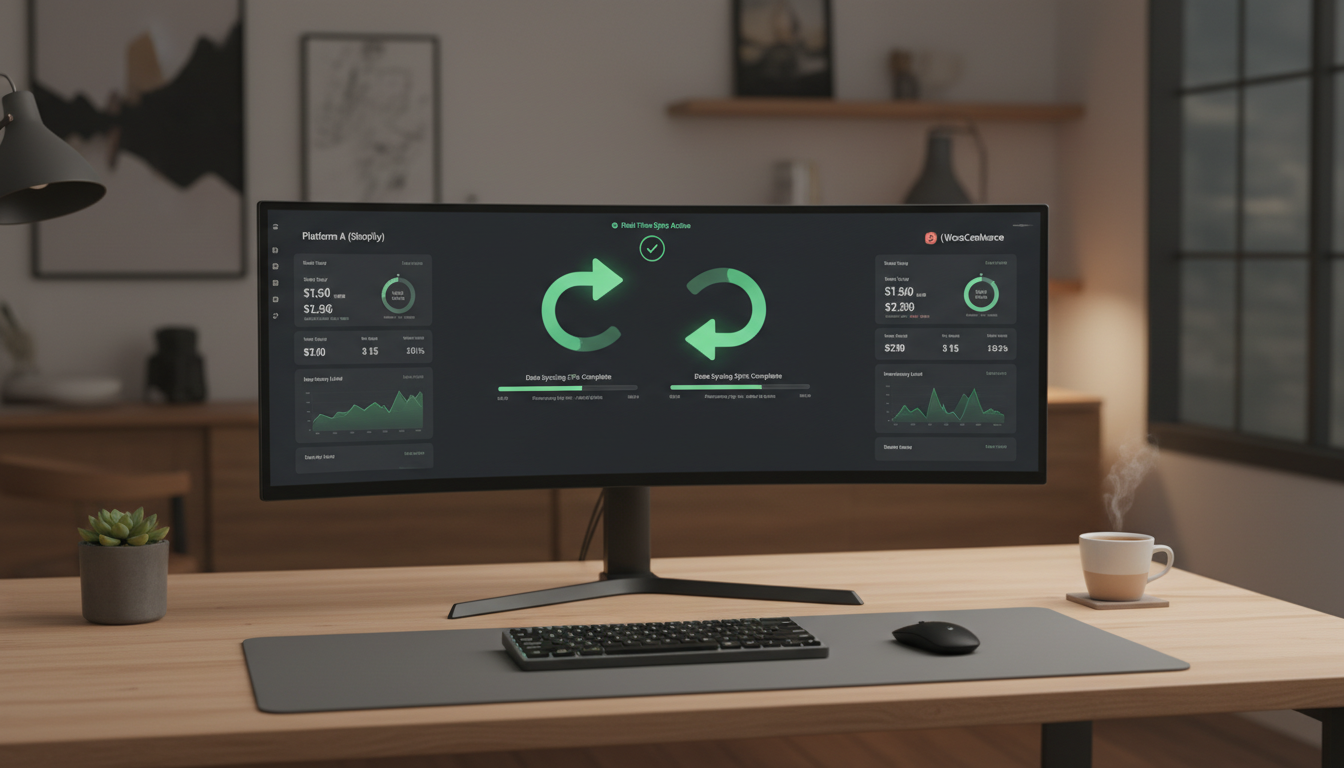
At Syncer we've developed a fundamentally different approach: Live Sync®. Instead of the traditional export-import cycle, we synchronise data in real time via API connections between Lightspeed C Series and Shopify.
Concretely this means:
| Traditional migration |
Syncer Live Sync® |
| Store offline for days |
Zero downtime — store stays live |
| One-time data export (snapshot) |
Continuous real-time sync |
| Orders fall through during migration |
Customers just keep ordering |
| Stock falls out of sync |
Stock always up to date on both platforms |
| SEO loss from offline period |
Automatic 301 redirects for SEO preservation |
| Weeks of lead time |
Smooth transition, you set the timing |
How the migration process with Live Sync® works
The migration process with Syncer happens in clear steps, without you or your customers noticing anything:
Step 1: connection and initial sync
We connect your Lightspeed C Series store to Shopify via secure API connections. Then we synchronise all existing data: products (including variants, images and metafields), customer details, order history and stock levels.
Step 2: continuous synchronisation
While your Lightspeed store keeps running live, Live Sync® keeps both platforms continuously in sync. A customer places an order on Lightspeed? It appears immediately in Shopify. Stock changes? Both platforms are updated. New customer registration? Synchronised automatically.
Step 3: setting up Shopify
While the synchronisation runs, we set up your new Shopify environment. Theme design, installing apps, optimising checkout, connecting payment providers — everything is set up and tested in peace while your current store keeps generating revenue.
Step 4: DNS switch and go-live
When everything is ready and approved, we switch DNS to Shopify. That's literally a matter of minutes. Your customers don't notice anything — they just keep shopping, now on your brand-new Shopify store.
Step 5: automatic 301 redirects
All old Lightspeed URLs are automatically redirected to the right Shopify pages via 301 redirects. That way you keep all the SEO equity you've built up and visitors who arrive via old links just see the right page.
What exactly is synchronised?
Live Sync® doesn't just migrate data — it keeps everything in real-time sync until you switch over for good:
-
Products: titles, descriptions, prices, images, variants, SKUs, weights, metafields
-
Categories: the collection structure is taken over and mapped to Shopify collections
-
Customer data: name, email, addresses, order history — everything is moved over safely
-
Orders: complete order history including status, payment information and fulfilment data
-
Stock: real-time stock synchronisation so you never have overselling
-
SEO data: meta titles, descriptions and URL structures are taken along
SEO preservation: why 301 redirects are crucial
One of the biggest concerns in a platform migration is the loss of SEO positions. Rightly so, because research shows that downtime can hurt your search positions, and recovery can take weeks to months.
In a Syncer migration we tackle this in three ways:
-
Zero downtime: Google's crawlers never encounter an offline website, so there's no negative signal.
-
Automatic 301 redirects: every old URL is redirected to the correct new URL. That way you keep the link equity you've built up over years.
-
SEO data migration: meta titles, meta descriptions and alt text come over to Shopify, so your content stays intact.
The result? Instead of weeks of recovery after a migration, you keep your positions and can grow on Shopify right away.
Why you shouldn't (and don't have to) do this yourself
A platform migration isn't a weekend job. It requires deep knowledge of both platforms, experience with API integrations and a proven process that accounts for edge cases you can't predict in advance.
At Syncer we do this every day. As a Shopify Plus Partner, we've guided hundreds of migrations and we know exactly where the pitfalls are. From complex product structures to custom integrations — we make sure nothing gets lost.
You don't need any technical knowledge. You don't have to export CSV files. You don't have to take your store offline. We handle everything while you simply keep on running your business.
Ready for a migration without downtime?
Are you ready to switch from Lightspeed C Series to Shopify, without missing a single order? Then request a free migration plan. We analyse your current store, discuss your wishes and show you how Live Sync® ensures your switch is smooth, safe and downtime-free.
Request your free migration plan →
Sources


